Bring old photos back to life
Faded prints, dull black-and-white, blurry faces, low-resolution scans — PicFix restores the clarity, lifts the color, and brings the moment back to how it felt. Preview the result free before you pay. No ads, no watermark, cancel anytime.
Download PicFix3-day free trial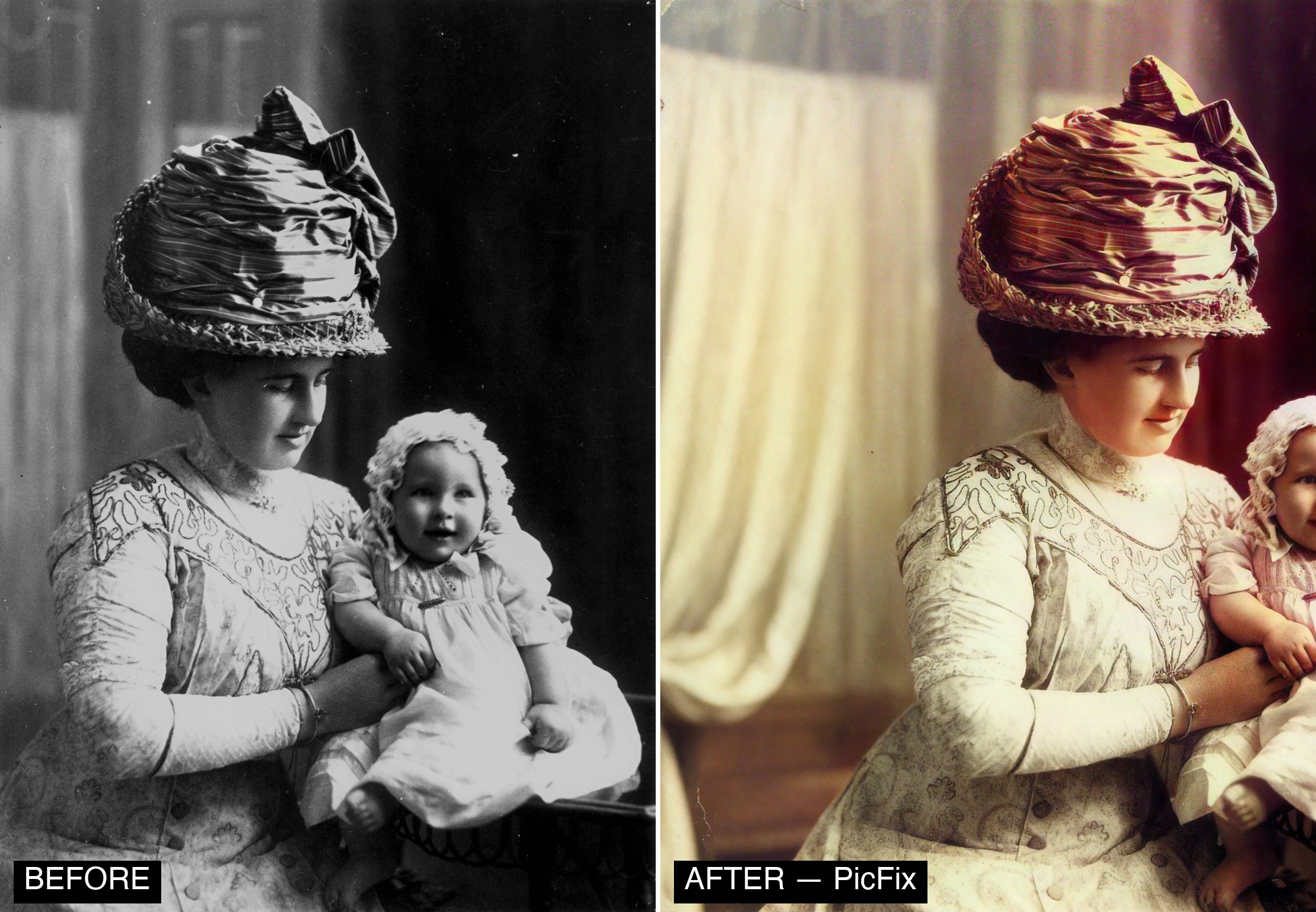
What “back to life” looks like
- Color returns — colorize black-and-white; lift faded, washed-out prints
- Faces sharpen — blurry, soft faces brought back faithfully (no re-shaping)
- Detail returns — upscale and denoise low-resolution or grainy scans
- Damage repaired — scratches, tears, water stains cleaned up
- Light restored — brighten dark, dim, underexposed shots
How to bring a photo back to life
- Open PicFix, tap Restore.
- Choose the old photo, or snap a picture of a printed one.
- PicFix sharpens, lifts fading, and repairs damage — pick Faithful to stay closest to the original.
- Tap Colorize to add true color to black-and-white.
- Preview free and compare before/after.
- Export in full quality — your original is kept.
Frequently asked questions
How do I bring old photos back to life?
Use PicFix — one-tap restore sharpens blur, lifts fading, repairs damage, and colorizes black-and-white, with a free preview before you pay.
Can it make the photo move?
Restoration keeps the photo a faithful still (clarity, color, detail) — no fake motion is applied automatically. If you’d like, PicFix also has an optional Animate feature to gently bring a portrait to life as a separate creative step.
Can it colorize black-and-white photos?
Yes — natural, believable color, and it’s best applied after restoring a clean, sharp base.
Will faces still look like the real person?
Yes — TrueFace preserves identity; Faithful mode stays closest to the original.
Does it keep my original?
Always. Nothing is overwritten.