The faithful Remini alternative for restoring old photos
PicFix repairs faded, scratched, and blurry photos — and colorizes black-and-white memories — on your iPhone. See your restored photo free before you pay, keep your original, and get a face that still looks like them. No ads. No watermark. Cancel anytime.
Download PicFix on the App Store3-day free trial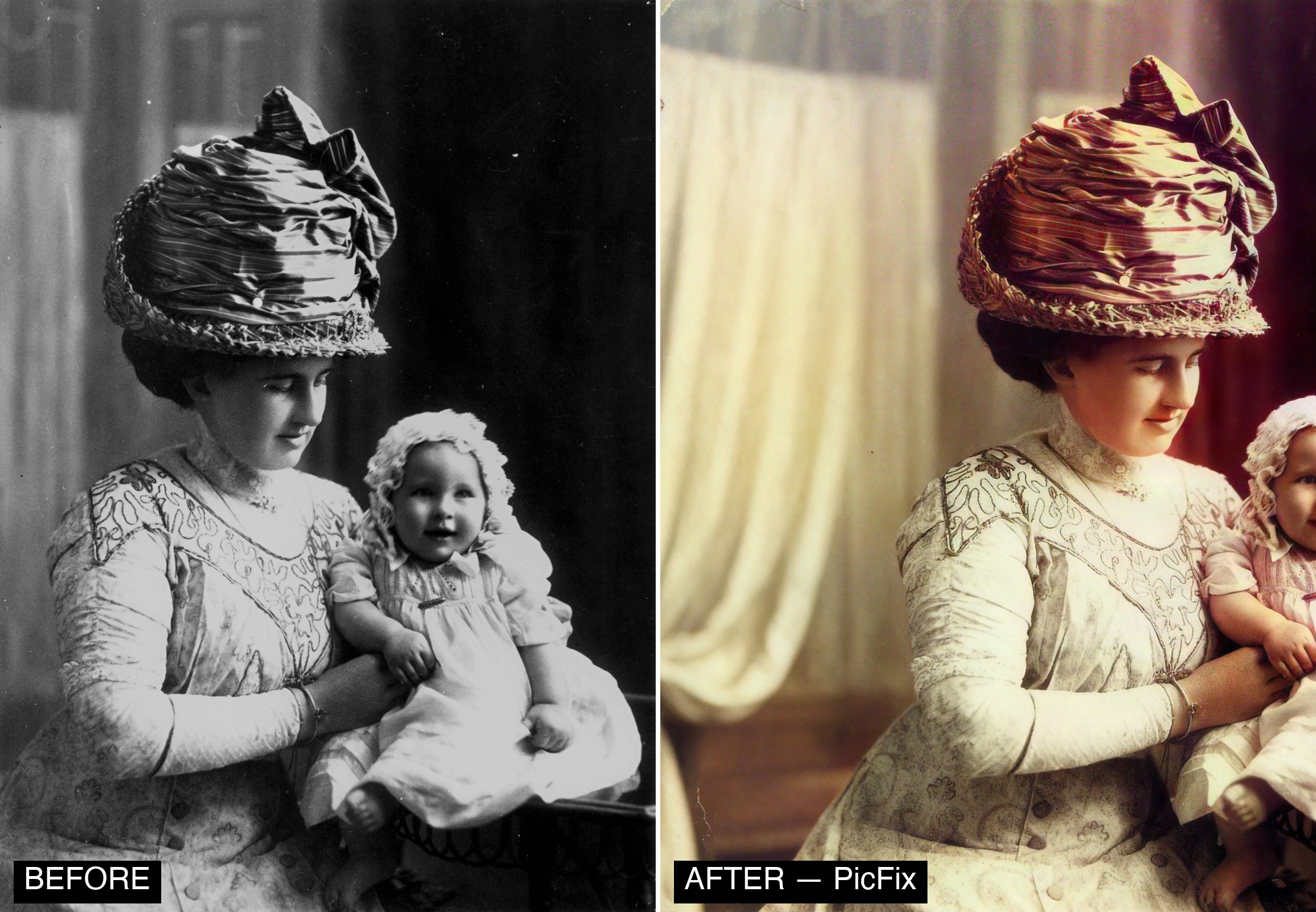
PicFix vs Remini
| PicFix | Remini | |
|---|---|---|
| Preview result before paying | ✅ Free preview | ⚠️ Often behind credits |
| Ads | ✅ None | ❌ Frequent |
| Watermark | ✅ None | ⚠️ On free tier |
| Identity-preserve control | ✅ TrueFace | ⚠️ Can over-smooth faces |
| Keeps your original | ✅ Always | ⚠️ Varies |
| Whole-photo repair | ✅ Scratches, fade, colour | ⚠️ Face-focused |
| Platform | iPhone / iPad | iOS / Android |
Comparison reflects publicly reported user sentiment as of 2026; verify current details before relying on them.
Why people switch
“I got charged before my trial ended.” PicFix shows the price and renewal date up front, offers a real free preview, and you cancel anytime in Settings.
“It made my relative look like a cartoon.” Face-only AI can re-shape features. PicFix’s TrueFace Faithful mode is built to preserve the real likeness.
“Too many ads to use it.” PicFix has no ads.
“I just want to fix Grandma’s photos once.” Preview free, restore the whole photo, keep your original.
How to restore an old photo with PicFix
- Open PicFix and tap Restore.
- Pick the old, faded, or damaged photo (or snap a photo of a print).
- PicFix repairs faces, scratches, fading, and blur — choose Faithful to stay closest to the original.
- Preview the result free. Compare the before/after.
- Colorize black-and-white shots in one tap if you like.
- Export in full quality and keep your original.
Frequently asked questions
Is PicFix free?
You can restore and preview your photo for free. Full-quality export is part of the subscription, which starts with a 3-day free trial.
Is PicFix a good Remini alternative?
Yes — it targets the same job (restoring and enhancing old photos) with a focus on faithfulness, a free preview before paying, no ads, and no watermark.
Will PicFix change how someone looks?
No. TrueFace is designed to preserve identity; the Faithful setting stays closest to the original face.
Does PicFix keep my original photo?
Yes — it never overwrites your original. You always keep it.
Can PicFix colorize black-and-white photos?
Yes, in one tap, with natural color — or keep them restored in black and white.
Does PicFix work on Android?
PicFix is currently an iPhone and iPad app.
Is my photo private?
PicFix asks your consent before any photo is sent for AI processing; photos are handled securely, are not retained after processing, and are never tied to a personal identifier.